Twenty-four automations for a car-rental business, here is the architecture
I run a small vehicle rental operation. Its automation estate contains twenty-four automations across seven repositories, plus five human-invoked skills. Those counts describe code and configured workflows, not twenty-four verified live jobs. The reviewed laptop documentation says its browser-facing workflows still require live acceptance testing before real scheduling.
This is a build journal, not a pitch. It covers how the automations are organized into tiers, how each trigger type was chosen, where the human gate sits and how it is enforced, what happened the one time the whole mail-triggered half of the estate went quietly dead, and what this system does not prove.
Why twenty-four automations and not one agent
There are no revenue figures, no throughput claims, and no customer data here, by policy. What is here is the architecture, written from the code rather than from memory.
Twenty-four automations, seven repos, five skills. Not one big agent that does everything.
I could have built a single assistant that reads mail, drafts replies, texts me, and issues links, all from one prompt with every credential attached. Instead the server alone runs eleven separate processes, each with one job: booking-watch only watches for new bookings, invoice-watch only watches for trip endings, guest-comms only drafts replies, telegram-gateway only talks to me, and so on down the table.
Twenty of the twenty-four automations sit on the server-and-laptop side of the estate; the other four are satellite repos, each still doing exactly one job.
The reason is blast radius, not elegance. One agent holding every tool and every credential is one bad turn away from doing something outside what I approved, in a context too large for me to audit line by line before it acts. Eleven agents that each hold one credential and one permission are eleven small, legible blast radii instead. booking-watch can write a portal token. It cannot log into Turo. guest-comms can draft a reply. It cannot send one. When a process misbehaves, the damage is bounded to whatever that one process touches, not to everything the fleet does.
What holds two dozen separate processes together is not a shared brain, it is a shared discipline: every automation is scoped to the smallest job that earns its trigger, with an explicit boundary on which actions it may take. Those boundaries differ between drafting, a locked welcome, and a bill that needs approval. The next two sections are that discipline, first by tier, then by trigger.
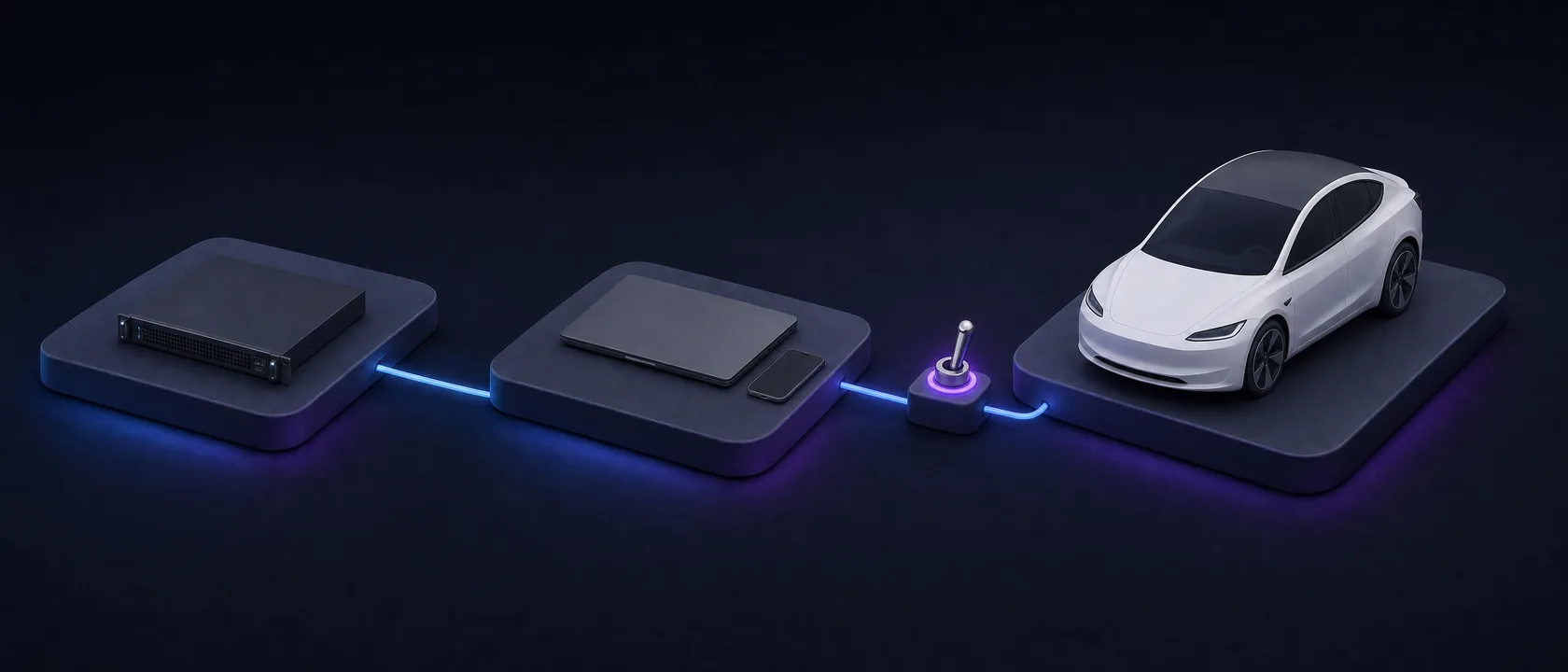
Three tiers: server daemons, a laptop scheduler, human-invoked skills
Every automation lives on the tier its risk profile demands, not the tier that would be most convenient to build on.
The always-on work sits on an always-on DigitalOcean droplet running under systemd timers plus one long-running listener. This is where I put anything that must never miss its window: a Turo booking arrives at a random hour, so the server has to be watching at 2am the same as 2pm. Concretely that means .timer units for the periodic scans and one .service unit, Type=simple, for the Telegram bot that stays connected and long-polls instead of waking up on a schedule. Nothing on this tier needs a human sitting at a keyboard, which is exactly why it is the tier for things that cannot wait for one.
The second tier is designed for a dedicated Windows laptop, with an installer that registers Windows Task Scheduler tasks from generated Task XML. It is intended for jobs that need a logged-in browser session, including toll invoicing and one locked welcome message per booking. The installer configures a 9am toll cycle and a 9:30 follow-up. The code makes clean bills at or below the configured auto-send cap eligible for sending; clean bills strictly above it require approval. These are implemented paths and configured schedules. The project's acceptance note says no browser-facing workflow has been run against live Turo or FleetIt; that acceptance test must pass before real scheduling.
The third tier does not run on a schedule at all. It runs when I invoke it. Skills like invoice are SKILL.md files with trigger phrases I say out loud, not standing processes: "run invoice," "bill the tolls," and a handful of others start the same deterministic pipeline, but only when I start it. This is the tier for work that should never begin without a person deciding it should begin, no matter how mechanical the steps are once it does.
Three tiers, three different answers to "how does this get triggered," each chosen for the job, not for uniformity.
Always-on server
systemd timers plus one listener
booking-watchevery 15 minguest-onboardevery 15 minguest-commsevery 10 mininvoice-watchdaily 09:00telegram-gatewaylong-running listener
Reads mail and chat read-only, drafts replies, and issues a portal token row. Every guest-facing paste is mine.
Dedicated laptop
Windows Task Scheduler, configured
toll_cycledaily 09:00booking_scanevery 15 minapprovalsevery 10 minvantage-desk-remoteat logon
Needs a logged-in browser. Code permits two unattended sends: a clean bill at or below the cap, and one locked welcome per booking. Live acceptance against Turo and FleetIt is still required.
Human-invoked
never scheduled
invoicewhen I say soClaudeAgentRuntimefrom the Studio UIvantage-runone instance per run
Draft and stage only. Every submit is my click, and the runtimes execute only the spec they are handed.
Sits on the send and money boundary, enforced in code and checked by a unit test: the statuses sent, send_unknown and send_blocked can never be overwritten by a weaker one, so a trip cannot be staged and billed twice.
Trigger taxonomy: timers, one listener, and a push-in dead-man switch
Trigger type is a design decision on this estate, not an implementation detail I picked and moved on from. Three archetypes cover almost everything, and each one earns its place for a different reason.
The polling timer is the default. vantage-booking-watch.timer fires on OnCalendar=*:0/15, checking every fifteen minutes. Turo booking mail arrives at no predictable hour, so there is no event to subscribe to and no queue to drain. A timer is the right tool exactly when the world you are watching gives you no signal of its own: you have to go look, and fifteen minutes is short enough to keep the gap between "booked" and "link issued" small without hammering the mailbox every minute.
The single long-running listener is the opposite answer, chosen because the job itself is a conversation. vantage-telegram-gateway.service runs Type=simple, not on a timer, because it long-polls the Telegram API and answers me one message at a time. A timer would mean waking up, checking for a message, and going back to sleep, which is the wrong shape for something that needs to hold a thread of context across a back-and-forth. A standing listener is the only trigger type that fits a job defined by staying present.
The third archetype inverts the usual direction entirely. endpoint-watch is a dead-man switch: watched machines push a check-in to the droplet over SSH, and the agent only ever reads the timestamps those check-ins leave behind. A watchdog that lives on the machine it watches dies with that machine. A watchdog that polls outward needs a route and a credential into a laptop that sits behind NAT. Push-in solves both problems by trading the poll for a report: the droplet needs no route to the endpoint and holds no secret for it, and silence itself becomes the alert. The check-in also stamps the droplet's own clock, not the endpoint's, so a laptop with a wrong timezone cannot fake freshness.
Three trigger types, three different problems: no signal to subscribe to, a conversation to hold, and a machine you cannot safely reach out to. Picking the wrong one would not just be less elegant, it would not work.
Where the human gate actually lives
The gate is not a confirmation dialog bolted onto the end of a script. It sits directly on the send and money boundary, and it is enforced in code and checked by a test, not written down in a policy document I have to remember to follow.
Start with state. The toll orchestrator keeps a JSON record per reservation, and three statuses are protected: sent, send_unknown, send_blocked. A recorder is never allowed to silently overwrite one of those with a weaker status like error or send_failed. That single rule buys the thing that matters most in a billing automation: a trip that may already be billed cannot get quietly re-staged and billed a second time.
This is not a comment I am trusting to hold on its own. It is a unit test. One test drives a pre-send failure through two attempts and asserts the second attempt lands on send_blocked, latched, with the trip reporting as handled. The point is not that specific assertion. The point is that the no-double-bill rule is a property the test suite checks on every run, not a habit I hope I remember.
Then there is the number everyone asks about. The toll code compares the total against a config default (auto_send_cap, currently 250.0). A clean bill at or below that cap is eligible for automatic sending; a clean bill strictly above it is staged for a person to approve. That value lives in a config file, not in a number I picked per bill.
The same shape shows up on the manual side. The billing skill I invoke by hand walks through gathering evidence and staging a bill, hands over the exact submit steps, and stops there: money is gated, draft and stage only, every submit is my click.
The intended boundary keeps a person in the loop on guest replies and clean bills above the auto-send cap. The laptop code permits two unattended actions: a clean toll bill at or below the cap, and one locked welcome message per booking. Those browser-facing paths have not passed the documented live acceptance test, so I am describing their implemented permissions, not claiming verified live sends. I built the boundary to keep consequential choices visible while preparing the work that comes before them.
The gate table, twelve rows
These rows describe configured triggers and code capabilities, not proof that every job is live. The laptop's browser-facing paths still require live acceptance testing; several server scanners are also documented as unarmed.
| automation | role | trigger | unattended capability | requires the operator's click | gate enforced at |
|---|---|---|---|---|---|
| booking-watch | portal-token issuer | systemd timer, every 15 min | reads Turo booking mail read-only, matches it deterministically, and on an all-clear issues a guest portal token row | pasting the welcome message and the portal link into the Turo thread | never sends the Turo message and never opens the link |
| invoice-watch | trip-end nudger | systemd timer, daily 09:00 | watches read-only for trip-end mail and holds each one for a settle delay before nudging | dropping the two exports and running the billing skill myself | writes nothing to any database and touches no money |
| guest-comms | reply drafter | systemd timer, every 10 min | reads guest messages read-only and drafts a suggested reply onto a shared draft queue | approving or adjusting the draft, then pasting the final into Turo | never logs into Turo |
| guest-onboard | welcome drafter | systemd timer, every 15 min | reads new-booking mail read-only and drafts a personalized welcome to an outbox | pasting the welcome into Turo, then the portal link | never sends anything |
| telegram-gateway | conversational relay | long-running listener, not a timer | long-polls a chat and carries a conversation, drafting and revising guest replies on request | every guest-facing paste and every send | the gateway has no tool that can message a guest, log into an account, or move money |
| toll_cycle | toll biller | configured Task Scheduler, daily 09:00 | code path exports, reconciles, gathers receipts, reads the invoice hub, and makes clean bills at or below the cap eligible for automatic sending | approving clean bills strictly above a config default (auto_send_cap, currently 250.0) |
the clean-bill branch sends at or below the cap and requires approval above it; live browser acceptance remains required |
| booking_scan | locked welcome sender | configured Task Scheduler, every 15 min | code path scans new bookings, prepares guest access, and posts one locked-template welcome when its checks pass | acceptance before real scheduling; no per-message approval for the intended locked welcome | standing approval covers the designated scheduled send path; live browser acceptance remains required |
| approvals | approval poller | Task Scheduler, every 10 min | polls my replies for a bill approve, hold, retry, or pending verb | I still have to send that reply; nothing here acts on its own judgment | only acts on my explicit reply |
| vantage-desk-remote | remote-control server | Task Scheduler, logon trigger, unlimited runtime | runs a screenshot and input server so a remote session can see and drive the laptop's screen | nothing described here; how the session is reached stays deliberately undescribed | token-gated, never listens off the machine |
| invoice (skill) | manual biller | human-invoked only, never scheduled | none by design | every submit, always, in Turo | money is gated, draft and stage only, never submits |
| ClaudeAgentRuntime | workflow executor | manual, started from Vantage Agent Studio's own UI | runs a compiled workflow graph in process | supplying a user-owned API key that the app never commits | requires a user-supplied key in a local, gitignored env file |
| vantage-run | droplet executor | on demand, one instance per run, not a timer | executes only the workflow spec the Studio already wrote | nothing runs until the Studio dispatches a run to it | runs only the spec it is handed; no independent action |
The two booking paths have different send permissions. Server-side booking-watch issues guest access and prepares a welcome for manual pasting; it never sends the Turo message. The laptop booking_scan code is designed to post one locked welcome under standing approval, once live browser acceptance passes. These are distinct implementations, not a demonstrated failover system.
Two runtimes, one workflow graph
My agent-builder project, Vantage Agent Studio, compiles a workflow graph once and can run that same graph two ways. One runtime executes it locally, in-process, against the Claude Agent SDK: a private method pulls the node's executor straight out of the server-side node registry and runs it inline. The other runtime ships the same compiled spec over SSH to an always-on droplet, starts a systemd unit there, and tails the resulting event stream back into the same run record on the Studio side. That file runs 461 lines, confirmed by a direct line count rather than an estimate.
The design point is that the graph itself does not know or care which runtime executes it. On the droplet side, the actual work is done by a small, dependency-free entrypoint script that walks the compiled graph and emits the same event format the local runtime would have produced. That script lives in a different repo from the Studio app: the workflow builder is one codebase, the thing that runs on the always-on box is another, and the seam between them is a JSON spec file plus an event log, not shared code.
Here is the honest half of the section. Condition and loop nodes are not implemented. The executor file says so directly, one line in a comment describing every node type's behavior. The two exported executors for those node types call the same explicit not-implemented helper rather than silently no-opping. That is a scope cut stated in code, not hidden behind a roadmap slide.
When it breaks: silence, not a crash
The failure that taught me the most did not throw an error. It threw nothing.
-
Incident: healthy silence
Two mail-triggered scanners were armed and polling on schedule, one every ten minutes, one every fifteen. They read one mailbox and searched it by the platform's sender address. The problem: the rental platform's notification mail was landing in a different mailbox, one nothing was watching. A search that matches nothing is not an error. It looks exactly like a quiet week.
I found it by hand, not from an alarm. A direct count of platform-sender mail in the watched mailbox over a thirty-day window came back zero, against a known-nonzero count in the mailbox that was actually receiving it. Zero was the tell. Nothing had failed loudly enough to say so.
The first fix I drafted was a scoped forward: match only the platform's sender, forward into the watched mailbox, and keep the original headers so the sender-match logic still fired. A simpler one shipped the same day instead. I pointed the platform account's own contact address straight at the watched mailbox and removed the forwarding hop. One canonical mailbox for every mail-triggered scanner to read, though at the time only two of the four were armed and the other two were waiting on a secret file. I marked the old plan SUPERSEDED rather than deleting it, so the trail stays legible.
The lesson is a design rule I now apply across the stack: an automation reporting healthy silence is not the same as an automation that works. A valid but stalled timer reads healthy, and a dead box looks like a quiet day. Liveness needs a positive signal, not the absence of an error.
The audit-to-fix loop
The vantage-agents server ran a read-only self-audit against its own live droplet and source, adversarially verified before it named anything a finding. It named the deploy user's sudo scope and a set of scanners that could fail without any signal reaching me. A separate section of the same audit covers least-privilege and host hardening specifically.
Three commits landed against those findings, and all three resolve in the repo's own history. 6a2d738 narrows the sudo grant instead of removing it outright. 2bf5706 makes failure states visible: delivery, credentials, and a toll nudge that had been failing silently. b6e2f37 adds draft-clearing commands to the same gateway. The loop worth showing is not any single agent. It is that an adversarially-verified audit turned into shipped commits inside the same project.
Separately, on a test count: a full-repo scan of vantage-desk, the Windows laptop automation project, counted 17 test files and 197 def test_ functions directly by grep. That repo's own CLAUDE.md documents 175 unit tests as of the day it was built and gated. Both numbers are real, measured at different points in the same repo's life. I am reporting the gap, not closing it.
What is deliberately not shown
One estate project is explicit about being a demo. fleet-os's dashboard reads its vehicle data from a checked-in JSON file, and the README says directly that the committed file is a labeled demo snapshot, with real data meant to come from a live vendor API in production. I name it a demo here because the project names itself one.
A second small tool, turoboost, makes a narrower claim about itself: everything it does runs client-side, with no server, no cookies, and no tracking. That is a scope statement rather than a demo label, and I am not going to upgrade it into one: turoboost's README never calls itself a demo, and fleet-os's does. Neither project is sold, and neither runs for anyone but me.
The point of naming them is not that the work is weaker. It is that an estate that says out loud which pieces are demos is making a different claim than an estate that stays quiet and lets a reader assume everything shown is load-bearing.
The stack, and what it does not prove
The concrete stack: server-side automations run as systemd services and timers on an always-on droplet, each one scheduled independently rather than through a single cron file. The laptop tier is implemented for Windows Task Scheduler using generated task XML. Its browser-facing workflows depend on a logged-in session and remain subject to the documented live acceptance test. The automation code is Python on the server and laptop tiers and TypeScript in the workflow-graph builder, which runs on Next.js. Supabase holds shared operational state; Telegram and ntfy carry notifications. Agent execution itself runs on Anthropic's Claude Agent SDK.
This estate does not prove everything it touches. Condition and loop nodes in the workflow builder are not implemented; the executor file states this in a comment and backs it with an explicit not-implemented function rather than a silent no-op. One of the projects named here is a demo by its own description, not a production service; a second is a no-backend tool that I am not going to describe as more than that. Two different counting methods disagree on a test total for one repo: a direct grep found 197, the repo's own dated doc says 175. Several server-side automations are built to run unattended but currently no-op until a secret file is placed; the unattended path is written and reviewed, not yet exercised against live data. The laptop has a separate acceptance limit: its reviewed documentation records no browser-facing run against live Turo or FleetIt and requires that test before real scheduling. Unit tests and configured schedules do not establish live sends. No throughput number, revenue figure, or fleet size appears anywhere in this piece, by policy, not because none exists.
What I would tell someone building the same thing
Three things carried further than anything else I did here.
- Pick the trigger before you pick the model. Most of these automations are not interesting AI problems. They are scheduling problems with a small amount of judgment in the middle, and getting the trigger type right is what makes them reliable.
- Put the gate on the boundary, then write a test for it. A rule that lives in a policy document is a rule you have to remember. A rule that lives in a status machine with a test around it is a property of the system.
- Make silence mean something. The failure that cost me the most was not a crash. It was two healthy scanners reading an empty mailbox and reporting nothing, which is exactly what a quiet week looks like. I do not know how long it ran that way, because nothing recorded it. Liveness needs a positive signal.
My role
I designed and built this estate end to end: the tiers, the trigger types, the human gate and the test that latches it, the audit-to-fix loop, and the discipline that scopes every automation to the smallest job that earns its trigger.
Links and verification
This is a private business, my own venture, so the code is not public. This build journal is the verification: the tiers, triggers, human-gate design, and incident narrative are written from the code and its history rather than from memory.